
Definition:
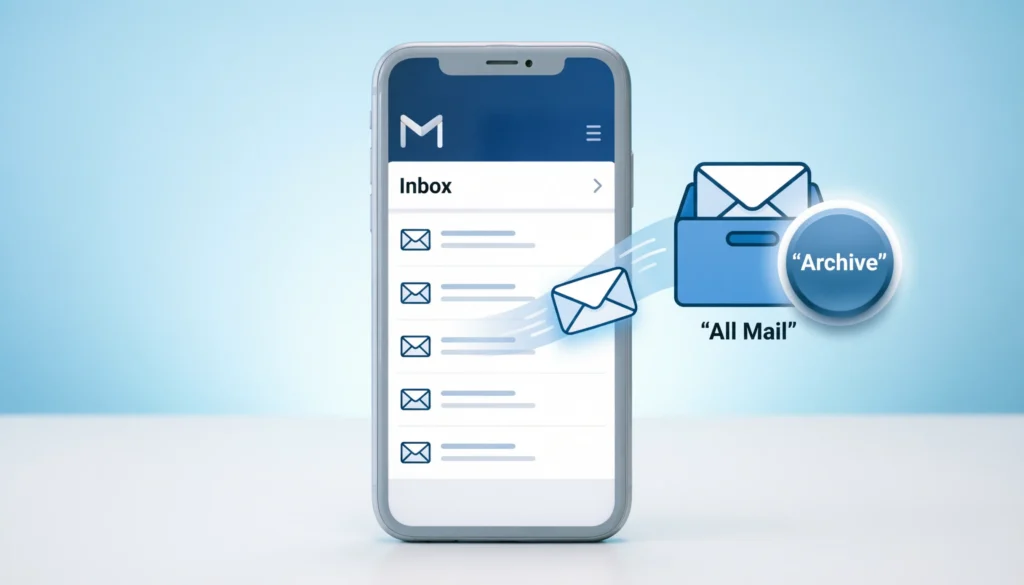
In Gmail, archived means removing an email from your inbox without deleting it. The message is stored safely in the “All Mail” folder so you can find it later using search, but it no longer appears in your main inbox view.
If you’ve ever cleaned your Gmail inbox and clicked “Archive,” you might have paused and thought: “Wait… did I delete that email?” 😅
You’re not alone.
The word “archive” in Gmail is one of the most misunderstood email actions. Many users assume it means deleting, hiding forever, or moving emails into a secret folder. But in reality, Gmail archiving is a simple organization tool designed to keep your inbox clean without losing information.
In today’s digital world where emails pile up from work, school, subscriptions, and notifications understanding Gmail’s archive feature is essential for better inbox management and productivity.
This guide will break everything down in a simple, human-friendly way so you’ll never be confused again.
What Does “Archived” Mean in Gmail?
When you archive an email in Gmail, you are:
- Removing it from your Inbox
- Keeping it stored safely in All Mail
- Making it searchable anytime in the future
- NOT deleting it permanently
Think of it like this:
📦 Archiving = Putting an email in a storage box
🗑️ Deleting = Throwing it in the trash permanently
So instead of cluttering your inbox, archived emails are just “hidden from view” but still exist in your account.
How Gmail Archiving Works
Gmail automatically organizes emails using labels and folders. When you hit the archive button:
- The email disappears from your inbox
- It is moved to the “All Mail” section
- It remains searchable using keywords, sender names, or filters
- It stays in your account unless you manually delete it
Important Insight:
Archived emails can still receive replies. If someone responds to an archived email, it will automatically reappear in your inbox.
Origin & Purpose of the Archive Feature
The concept of “archiving” didn’t start with Gmail it comes from traditional record-keeping systems used in offices, libraries, and legal documentation.
Why Gmail introduced archiving:
- To reduce inbox clutter
- To help users focus on active conversations
- To store important emails without deleting them
- To improve productivity and organization
When Gmail launched, it changed email behavior by introducing a minimalist inbox system, and archiving became a core feature of that philosophy.
Why “Archived” Became So Popular in Gmail
The archive feature became widely used because:
- People receive hundreds of emails daily 📧
- Most emails don’t need immediate attention
- Users wanted a “clean inbox” approach
- Deleting emails felt risky for important information
Instead of deleting everything, users now simply archive messages they’re done with but may need later.
Real-World Usage of Archived Emails
Here’s how people commonly use archiving in real life:
- 🧑💼 Work emails after completing a task
- 🛒 Online shopping confirmations
- 🎓 School or university updates
- 📅 Event confirmations or tickets
- 💬 Old conversations that are no longer active
Archiving helps you maintain a clean inbox while keeping everything accessible.
Examples of Archived Emails in Different Tones
Let’s understand how archiving feels in real-life communication:
😊 Friendly Tone Example:
“Thanks for the meeting details! I’ve archived the email for future reference.”
😐 Neutral Tone Example:
“This email has been archived and can be found in All Mail if needed.”
😌 Professional Tone Example:
“Please note that the conversation has been archived for record-keeping purposes.”
🙃 Casual Tone Example:
“Done and dusted archived it 👍”
Example Table – Archive vs Inbox vs Trash
| Action | What Happens to Email | Can You Recover It? | Visibility |
|---|---|---|---|
| Inbox | Email stays in main view | N/A | Visible |
| Archive | Moves to All Mail | Yes | Hidden |
| Trash | Moves to Trash folder | Yes (30 days max) | Hidden |
Archive vs Delete in Gmail
Many users confuse archiving with deleting, but they are very different.
📦 Archive:
- Keeps email safe
- Removes from inbox only
- Fully searchable
- Can be restored anytime
🗑️ Delete:
- Moves email to Trash
- Permanently removed after 30 days
- Harder to recover
- Used for unwanted emails
👉 Simple rule:
- Use Archive when unsure
- Use Delete when you’re certain you don’t need it
How to Find Archived Emails in Gmail
If you can’t find an archived email, don’t worry it’s still there.
You can locate it by:
- Going to All Mail
- Using the search bar in Gmail
- Typing sender name or subject line
- Checking filters or labels
💡 Tip: Gmail search is powerful just typing a keyword often brings archived emails back instantly.
Benefits of Using Archive in Gmail
Using archive properly can improve your digital life:
✔️ Cleaner inbox
No more cluttered unread emails.
✔️ Better focus
You only see active conversations.
✔️ Safe storage
Important emails are never lost.
✔️ Easy organization
Helps separate “done” and “ongoing” tasks.
✔️ Stress reduction
A clean inbox feels less overwhelming.
Common Mistakes Users Make with Archiving
Even though archiving is simple, users often make mistakes like:
- Thinking archived emails are deleted
- Forgetting where archived emails go
- Over-archiving important active emails
- Not using search properly
- Mixing archive and delete actions
👉 Solution: Learn the difference and use labels for better organization.
Polite & Professional Alternatives to “Archived”
Instead of saying “I archived it,” you can use:
- “I’ve stored the email for reference.”
- “I’ve moved it out of my inbox.”
- “It’s saved in All Mail.”
- “I’ve organized it for later access.”
- “The conversation has been filed.”
These sound more professional in workplace communication.
Alternative Meanings of “Archive”
While in Gmail it has a specific meaning, the word “archive” can also refer to:
- 📁 A collection of historical records
- 🗃️ Digital storage of documents or files
- 📚 Libraries preserving old records
- 🖥️ Cloud storage systems
So the core idea is always the same: long-term storage without active display.
Tips to Use Gmail Archive Effectively
Here are some smart ways to use archiving:
- Archive emails immediately after responding
- Combine archive with labels for better tracking
- Use search instead of keeping everything in inbox
- Don’t overthink archive liberally
- Review “All Mail” monthly if needed
FAQs
1. What happens when you archive an email in Gmail?
It is removed from your inbox but stored in All Mail.
2. Is archived email deleted in Gmail?
No, archived emails are not deleted.
3. Can I recover archived emails?
Yes, you can find them in All Mail or search.
4. Do archived emails get deleted automatically?
No, they remain until you delete them manually.
5. Where do archived emails go?
They go to the “All Mail” folder.
6. Will I still receive replies on archived emails?
Yes, replies will bring the email back to your inbox.
7. What is the difference between archive and delete in Gmail?
Archive hides from inbox; delete removes permanently after 30 days.
8. Why should I archive emails instead of deleting them?
Because archiving keeps important emails safe and searchable.
Conclusion
Understanding what archived means in Gmail is essential for managing your inbox efficiently and staying organized. Simply put, archiving is a smart way to remove emails from your inbox without deleting them, ensuring that important messages remain accessible whenever you need them.
To summarize:
- Archiving removes emails from your inbox, not your account
- Archived emails are stored in All Mail
- They are fully searchable and recoverable
- It helps keep your inbox clean and organized
- It is NOT the same as deleting
👉 Final tip: If you’re unsure, always archive instead of deleting you can always find it later.
Discover More Related Articles:
- Pum Pum Mean in Jamaican: Caribbean Music Culture in 2026
- “GLA” Mean in Real Estate: How GLA Impacts Rent and Appraisal for 2026

Madison Taylor is an experienced content writer who focuses on researching and explaining word meanings, slang, and texting terms. She writes for meanvoro.com, creating clear and accurate to help readers understand language easily.