
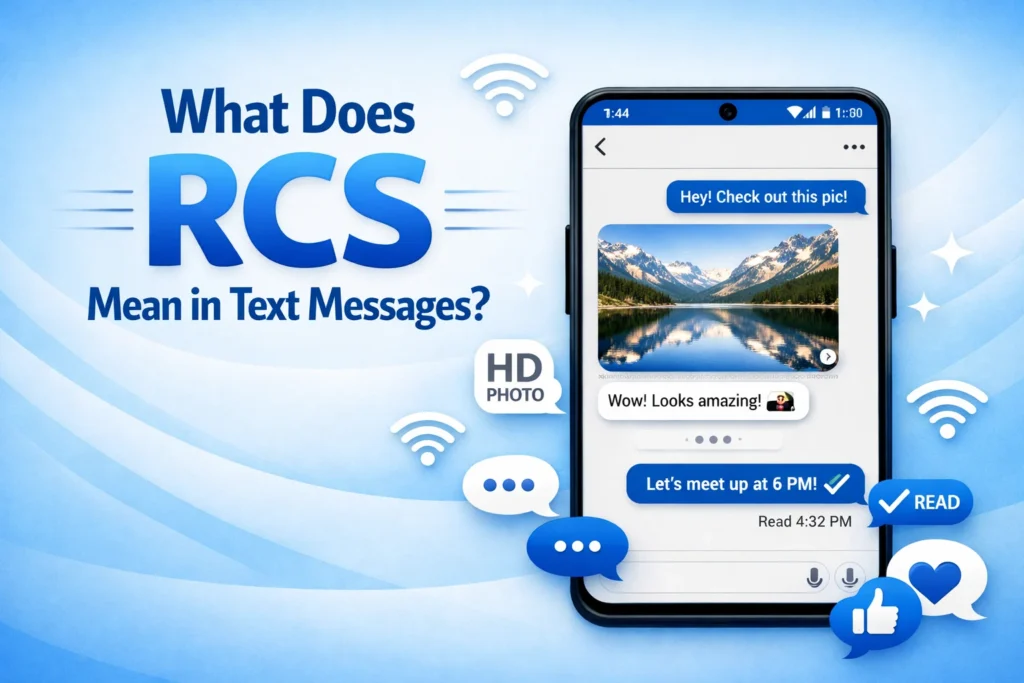
Definition :
RCS (Rich Communication Services) is a modern messaging protocol that upgrades traditional SMS texting by adding internet-based features like read receipts, typing indicators, high-quality photo/video sharing, and improved group chats.
Have you ever opened your phone’s messaging app and noticed your texts showing “read,” “typing…,” or sending high-quality images without getting blurry? If yes, you’ve already come across RCS messaging even if you didn’t realize it.
In today’s digital world, texting is no longer just simple SMS anymore. It has evolved into something smarter, faster, and more interactive. That’s where RCS (Rich Communication Services) comes in. It is designed to upgrade traditional text messages with modern features like media sharing, group chat improvements, and real-time conversation indicators.
What Does Text Message RCS Mean?
RCS stands for Rich Communication Services. It is a modern messaging protocol designed to upgrade traditional SMS and MMS texting with advanced features like read receipts, typing indicators, high-quality media sharing, Wi-Fi messaging, group chats, and better security.
In simple terms, RCS is often described as the next generation of text messaging for Android and compatible devices.
If you have ever noticed messages showing things like:
- “Typing…”
- “Read”
- Blue chat bubbles
- High-quality photos and videos
- Reactions or emoji responses
…you were likely using RCS messaging instead of regular SMS.
Why Everyone Is Talking About RCS Messaging
For years, regular SMS texting barely changed. Messages were limited to short text, blurry photos, and no interactive features. Meanwhile, apps like WhatsApp, Telegram, and iMessage offered richer communication experiences.
RCS was created to bridge that gap.
Today, many Android phones automatically support RCS through apps like Google Messages. Even newer conversations around messaging between Android and Apple devices have made RCS more popular than ever.
The Simple Definition of RCS in Text Messages
Here’s a featured-snippet-friendly explanation:
| Term | Meaning |
|---|---|
| RCS | Rich Communication Services |
| Purpose | Modern replacement for SMS/MMS |
| Main Features | Read receipts, typing indicators, HD media sharing, group chats |
| Works Through | Internet connection (Wi-Fi or mobile data) |
| Commonly Used On | Android phones and compatible carriers |
Origin of RCS Messaging
RCS was first developed by the mobile industry to improve standard texting. Traditional SMS technology dates back to the 1990s, so it lacked features modern users expected.
The GSM Association (GSMA), a global mobile communications organization, helped standardize RCS to create a richer texting experience without needing third-party apps.
Over time:
- Mobile carriers adopted RCS support
- Android manufacturers integrated it into phones
- Google Messages became one of the main platforms pushing RCS adoption
Today, RCS is considered the future evolution of standard texting for many Android users.
How RCS Messaging Works
Unlike traditional SMS, which uses cellular networks only, RCS works through an internet connection.
That means you can send:
- High-resolution photos
- Long videos
- GIFs
- Voice notes
- Large group messages
…without the limitations of old-school texting.
RCS vs SMS Technology
| Feature | SMS | MMS | RCS |
|---|---|---|---|
| Internet Required | No | No | Yes |
| Read Receipts | No | No | Yes |
| Typing Indicators | No | No | Yes |
| HD Photos/Videos | No | Limited | Yes |
| Group Chats | Basic | Limited | Advanced |
| File Sharing | Very Limited | Limited | Better Support |
| Encryption | Usually No | Usually No | Available on supported chats |
What Does RCS Mean on Android?
On Android phones, RCS usually appears inside your default messaging app.
You may see labels like:
- “Chat features enabled”
- “RCS chat”
- “Sent as chat”
- “Read”
- “Delivered”
This means your messages are being sent using internet-based RCS features instead of normal SMS.
Many Android users activate RCS through:
- Google Messages
- Carrier-supported messaging apps
Common Features of RCS Text Messaging
RCS messaging includes many modern features people already expect from apps like WhatsApp or Messenger.
1. Read Receipts
You can see when someone reads your message.
Example:
- Delivered ✓
- Read ✓✓
2. Typing Indicators
You can tell when someone is typing a reply.
Example:
- “Adeeba is typing…”
3. Better Media Quality
Photos and videos stay clearer compared to MMS compression.
4. Wi-Fi Messaging
Messages can send over Wi-Fi instead of only using cellular service.
5. Group Chats
RCS supports:
- Better group conversations
- Emoji reactions
- Naming groups
- Improved media sharing
6. Enhanced Security
Some RCS chats support end-to-end encryption for additional privacy.
Real-World Examples of RCS Messaging
Here are some practical examples showing how RCS appears in everyday texting.
Friendly Tone Example
| Situation | Example |
|---|---|
| Friend making plans | “Hey! Want to grab coffee later? ☕” |
| Read receipt | “Read 3:45 PM” |
| Typing indicator | “Typing…” |
Tone: Casual and interactive.
Professional or Neutral Example
| Situation | Example |
|---|---|
| Work update | “I’ve sent the document for review.” |
| Delivery status | “Delivered” |
| Media sharing | Sending PDF files or images clearly |
Tone: Professional and efficient.
Slightly Negative or Dismissive Example
| Situation | Example |
|---|---|
| Ignored message | “Seen” with no reply |
| Typing stopped | Someone starts typing but never sends a message |
Tone: Can feel awkward or dismissive depending on context.
What Does “Sent as SMS via Server” Mean?
Sometimes RCS fails temporarily because:
- The internet connection is weak
- The other person does not support RCS
- Chat features are disabled
When this happens, your phone may switch back to regular SMS automatically.
You might see messages like:
- “Sent as SMS”
- “Text message”
- “Sent via carrier”
This ensures the message still gets delivered.
How to Know if You’re Using RCS
You may already be using RCS without realizing it.
Look for these signs:
- Typing indicators
- Read receipts
- Better image quality
- Chat feature labels
- Blue send buttons in some apps
- Wi-Fi-based messaging
On Android:
- Open your messaging app
- Go to Settings
- Tap “Chat features”
- Check if RCS is enabled
Is RCS the Same as iMessage?
No. RCS and iMessage are different systems.
Here’s the difference:
| Feature | RCS | iMessage |
|---|---|---|
| Main Platform | Android | Apple devices |
| Requires Internet | Yes | Yes |
| Read Receipts | Yes | Yes |
| Typing Indicators | Yes | Yes |
| Encryption | Supported in some chats | Supported |
| Works Across Brands | Yes | Mostly Apple ecosystem |
Many people compare RCS to iMessage because they offer similar modern messaging features.
RCS vs SMS: Which Is Better?
For most users, RCS is a major upgrade over SMS.
Advantages of RCS
- Better media quality
- Interactive messaging
- Larger file sharing
- Group chat improvements
- Wi-Fi messaging
- Modern experience
Advantages of SMS
- Works almost everywhere
- No internet needed
- Compatible with older phones
Best Option?
If both users support it, RCS is usually the better experience.
Does RCS Cost Money?
Usually:
- RCS uses mobile data or Wi-Fi
- SMS may use carrier text message plans
If you have internet access, RCS messaging often works without extra texting charges beyond your data plan.
However, carrier policies can vary.
Is RCS Safe?
RCS is generally safer than traditional SMS because some chats include encryption and improved security.
Still, safety depends on:
- Your messaging app
- Carrier support
- Whether encryption is enabled
Avoid sharing:
- Passwords
- Banking details
- Sensitive personal information
…through any messaging platform unless you trust the recipient and service.
Why RCS Sometimes Doesn’t Work
Common reasons include:
| Problem | Possible Cause |
|---|---|
| Messages send as SMS | RCS disabled |
| No read receipts | Recipient not using RCS |
| Chat features unavailable | Carrier/device issue |
| Media not sending | Weak internet connection |
Restarting the messaging app or reconnecting to Wi-Fi often helps.
Alternate Meanings of RCS
While “RCS” usually refers to Rich Communication Services in texting, it can have other meanings in different industries.
Examples:
- Remote Control System
- Reaction Control System (space technology)
- Royal Conservatory of Scotland
However, in messaging and texting conversations, RCS almost always means Rich Communication Services.
Professional Alternatives to RCS Messaging
If you need business or professional communication tools, people also use:
| Platform | Best For |
|---|---|
| Slack | Workplace messaging |
| Microsoft Teams | Office collaboration |
| Global messaging | |
| Signal | Privacy-focused chats |
These platforms may offer stronger collaboration or privacy tools than standard texting.
Popular Search Variations Related to RCS
People also search for:
- what is rcs messaging
- what does rcs mean on android
- rcs chat meaning
- rcs text message explained
- what is rcs in samsung messages
- difference between sms and rcs
- how to turn off rcs messaging
- rcs vs imessage
- chat features meaning
- rich communication services definition
Using these related terms naturally helps users better understand the topic.
FAQs
1. What does RCS stand for in text messages?
RCS stands for Rich Communication Services, a modern upgrade to traditional SMS texting.
2. Is RCS the same as SMS?
No. SMS is basic text messaging, while RCS includes internet-based features like read receipts, typing indicators, and media sharing.
3. Do I need internet for RCS?
Yes. RCS works using mobile data or Wi-Fi, unlike SMS which uses only cellular networks.
4. How do I know if I’m using RCS?
If you see “typing…,” “read,” or high-quality media sharing in your messages, you’re likely using RCS.
5. Is RCS available on all phones?
No. It is mainly supported on Android devices through compatible messaging apps and carriers.
6. Can I turn off RCS messaging?
Yes. Most messaging apps allow you to disable chat features in settings.
7. Why do RCS messages sometimes send as SMS?
This happens when the internet is weak or the recipient doesn’t support RCS.
8. Is RCS secure?
RCS is more secure than SMS in many cases, but encryption depends on the app and carrier support.
Conclusion
RCS messaging is transforming the way people text by bringing modern chat features directly into standard messaging apps. Instead of relying only on outdated SMS technology, users can enjoy read receipts, typing indicators, HD media sharing, group chats, and Wi-Fi messaging.
If you’ve wondered what “RCS” means in your text messages, the answer is simple: it’s the next generation of texting designed to make communication faster, smarter, and more interactive.
As messaging technology continues evolving, RCS is becoming an increasingly important part of everyday communication.
Discover More Related Articles:
- “NT” Mean in Gaming: GO, and Other Multiplayer Games for 2026
- Forced Air Mean in a House: A Homeowner’s Beginner Guide for 2026

Madison Taylor is an experienced content writer who focuses on researching and explaining word meanings, slang, and texting terms. She writes for meanvoro.com, creating clear and accurate to help readers understand language easily.