
Definition:
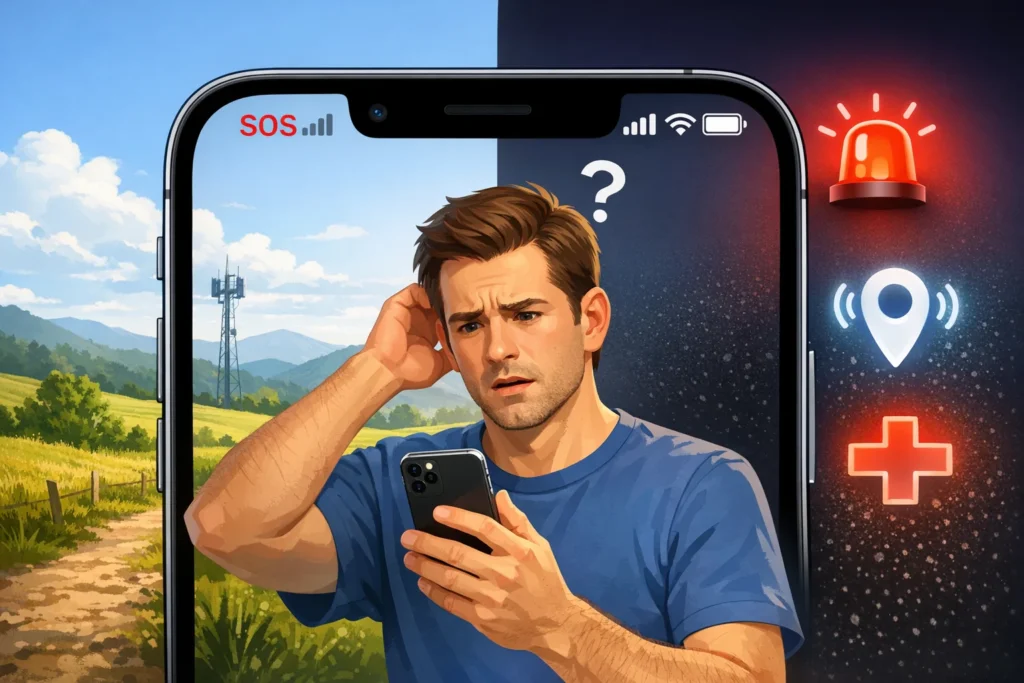
On an iPhone, “SOS” means your device is either in Emergency SOS mode or has limited network connectivity where only emergency calls are available.
If you’ve ever glanced at the top of your iPhone screen and suddenly seen “SOS” instead of your usual signal bars, it can feel confusing or even a little worrying. Don’t panic. This indicator is actually built into Apple’s system to keep you safe and informed.
In this guide, we’ll break down everything you need to know about what SOS means on iPhone, why it appears, how it works, and what you should do when you see it.
What Does SOS Mean on iPhone?
When your iPhone shows SOS or SOS Only, it generally means:
- Your phone cannot connect to your regular cellular network
- But it can still make emergency calls
- You may be outside your carrier’s coverage area or experiencing a network issue
Quick Summary:
- 📶 No normal signal
- 🚨 Emergency calls still work
- 📍 Usually a temporary network issue or coverage limitation
This feature ensures you’re never completely cut off in emergencies even if your SIM or network is not working.
Origin of “SOS” on iPhone
The term SOS originally comes from maritime distress signals used internationally to indicate emergencies. Although people often think it stands for “Save Our Souls” or “Save Our Ship,” it is actually a simple Morse code distress signal:
- SOS = ··· — ···
Apple adopted this universal emergency symbol to make it instantly recognizable worldwide.
On iPhones, Apple introduced Emergency SOS features to allow users to quickly contact emergency services, especially when:
- You are in danger
- You have no time to dial manually
- Your network is limited
Over time, Apple also began using “SOS” in the status bar to indicate emergency-only connectivity.
Why Does “SOS” Appear on iPhone?
There are several reasons your iPhone might show SOS or SOS Only:
1. Weak or No Cellular Signal
You may be in:
- Rural areas
- Underground locations (basements, tunnels)
- Remote regions
2. Carrier Network Issues
Your mobile provider might be:
- Experiencing outages
- Under maintenance
- Facing temporary disruptions
3. SIM Card Problems
- Improperly inserted SIM
- Damaged SIM card
- Expired or inactive SIM plan
4. Roaming Restrictions
If you’re traveling:
- Your plan may not support roaming
- Your phone may only allow emergency calls
5. Airplane Mode or System Glitch
- Accidentally enabled airplane mode
- Temporary software/network bug
What Can You Do When iPhone Shows SOS?
Here are practical fixes and steps:
✔ Basic Fixes
- Turn Airplane Mode ON and OFF
- Restart your iPhone
- Check SIM card placement
- Move to a location with better signal
✔ Advanced Fixes
- Reset network settings
- Update iOS software
- Check carrier settings update
- Contact your mobile network provider
How Emergency SOS Works on iPhone
Apple’s Emergency SOS feature is slightly different from the SOS signal in the status bar.
Emergency SOS allows you to:
- Call emergency services quickly
- Share your location automatically
- Alert emergency contacts
How to activate it:
- Press and hold Side button + Volume button
- Or press Side button 5 times (depending on settings)
Once activated, your iPhone can:
- Call emergency services
- Send your location updates
- Share medical ID (if enabled)
SOS vs “No Service” vs “Emergency SOS”
Here’s a simple comparison table:
| Status Indicator | Meaning | Can You Make Calls? | Internet Available? |
|---|---|---|---|
| SOS / SOS Only | Emergency calls only | Yes (emergency only) | No |
| No Service | No network at all | No | No |
| Emergency SOS Mode | Emergency feature activated | Yes (emergency services) | Limited |
Key Insight:
- SOS = Limited network, emergency calls allowed
- No Service = Completely disconnected
- Emergency SOS = Manual emergency activation
Real-Life Examples of SOS on iPhone
Let’s understand how it appears in daily life:
📍 Example 1: Traveling in Remote Area
You go hiking in mountains. Your phone shows:
- “SOS” in the top corner
You can still call emergency services but not your friends.
📍 Example 2: Network Outage
Your mobile provider is down:
- Calls and internet stop
- SOS appears automatically
📍 Example 3: SIM Issue
Your SIM is not detected properly:
- iPhone shows SOS Only
- Restarting fixes it sometimes
Is SOS on iPhone Dangerous?
No SOS is not a warning of damage or hacking.
It simply means:
- Your phone is safe
- Your emergency calling feature is still active
- Your regular network connection is temporarily unavailable
So, it’s more of a status alert than a problem warning.
Alternate Meanings of SOS
While on iPhone it has a technical meaning, SOS can also mean:
Common Interpretations:
- Emergency distress signal
- “Help needed” in general communication
- Informal slang in chats (rare)
However, in Apple devices, it always relates to:
- Emergency connectivity
- Network limitation status
Polite or Professional Ways to Say “SOS”
If you’re using SOS in communication, here are better alternatives:
Instead of “SOS”
- “I need help urgently”
- “Emergency situation”
- “Network issue, limited access”
- “I’m currently unreachable”
These sound more professional in formal settings.
Tips to Avoid SOS Mode on iPhone
Here are simple prevention tips:
- Keep iOS updated regularly
- Use a stable carrier plan
- Avoid damaged SIM cards
- Check coverage before traveling
- Restart phone occasionally for network refresh
FAQs
1. What does SOS mean on iPhone status bar?
It means your iPhone is not connected to your carrier network but can still make emergency calls.
2. Why is my iPhone stuck on SOS only?
It could be due to weak signal, SIM issues, or carrier outage.
3. Can I still use the internet when SOS is showing?
No, mobile data will not work in SOS mode.
4. Is SOS the same as no service?
No. SOS still allows emergency calls, while no service means total disconnection.
5. How do I remove SOS from iPhone?
Try restarting your phone, enabling/disabling Airplane Mode, or checking your SIM card.
6. Does SOS mean my phone is broken?
No, it is not a hardware issue. It’s a network status indicator.
7. Can I call normal contacts in SOS mode?
No, only emergency services can be called.
8. Why does SOS appear when I travel?
Because your carrier may not support roaming in that area.
Conclusion
Seeing SOS on your iPhone can feel alarming at first, but it’s actually a built-in safety feature not a failure of your device.
To summarize:
- SOS means limited network, emergency calls only
- It appears due to signal issues, SIM problems, or roaming restrictions
- Your phone is still fully functional for emergency use
- Simple fixes like restarting or resetting network settings often solve it
Understanding this feature helps you stay calm and prepared, especially when traveling or facing network disruptions.
Discover More Related Articles:

Jessica Brown is a language-focused writer who creates well-researched articles on word meanings, abbreviations, and everyday expressions. She contributes to meanvoro.com, delivering simple, reliable, and reader-friendly content designed to make complex terms easy to understand.