
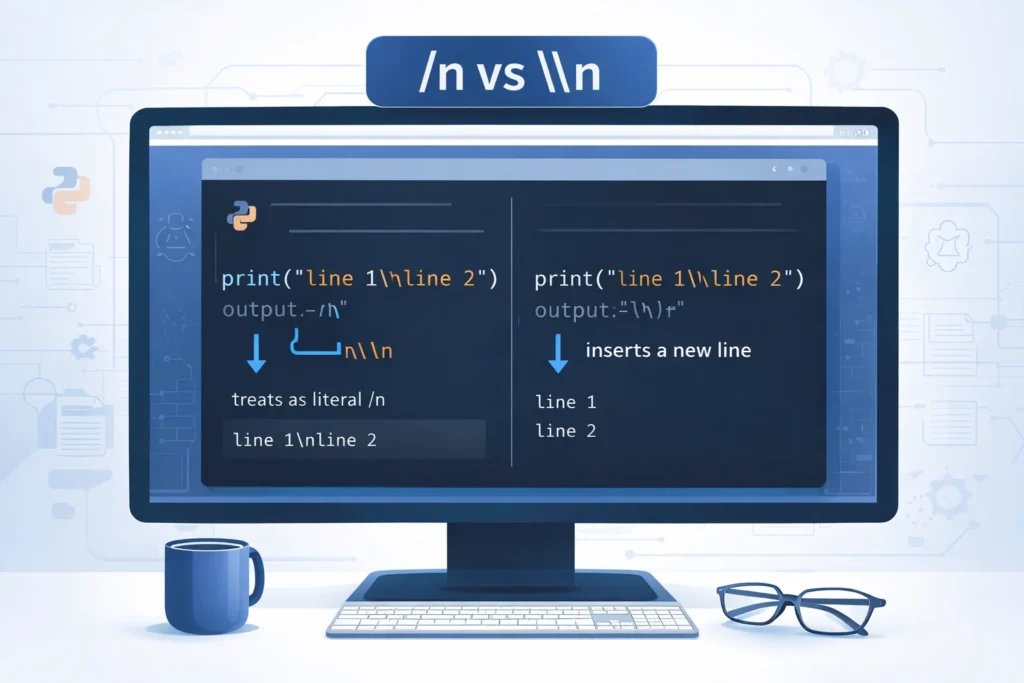
- /n does not have any special meaning in Python.
- It is usually a typo for \n, which is an escape character representing a new line in a string.
- In short:
- /n = not valid syntax
- \n = newline character
If you’ve ever seen /n in Python code and felt confused, you’re not alone. Many beginners search for this exact term wondering what it does. Here’s the surprising truth: /n in Python actually means nothing.
It’s usually a mistake.
What most people are looking for is \n, not /n.
That single character difference completely changes the meaning. Understanding this small detail can save you from frustrating bugs and formatting issues in your programs.
Let’s break it down clearly and simply.
Why People Confuse /n and \n
The confusion happens because:
- The forward slash
/and backslash\look similar - Beginners may not notice the difference
- Online formatting sometimes hides the backslash
- Some keyboards make the backslash harder to spot
In Python, the *backslash * is used to create escape sequences. The forward slash / is used for division or in file paths (sometimes).
What Does \n Mean in Python
Since most people actually mean \n, let’s explain it clearly.
Definition of \n in Python
\n is a newline escape character. It tells Python to move the cursor to the next line when printing text.
Example:
print("Hello\nWorld")
Output:
Hello
World
Without \n, both words would appear on the same line.
Origin of the Newline Character
The newline character comes from early computing systems and typewriters.
It represents:
- Carriage return
- Line feed
Modern programming languages, including Python, use \n to represent moving to the next line in text output.
How \n Works in Python Strings
In Python, strings can contain special characters called escape sequences.
Here are common ones:
| Escape Sequence | Meaning |
|---|---|
| \n | New line |
| \t | Tab space |
| \ | Backslash |
| “ | Double quote |
| ‘ | Single quote |
When Python sees \n, it inserts a line break.
Real World Examples
Example 1: Printing Multiple Lines
print("Name: Ali\nAge: 20\nCountry: Pakistan")
Output:
Name: Ali
Age: 20
Country: Pakistan
Tone: Neutral, informational formatting.
Example 2: Writing to a File
file.write("First line\nSecond line\n")
This ensures each sentence appears on a new line in the file.
Tone: Professional usage in real applications.
Example 3: Formatting Messages
print("Warning!\nPlease check your input.")
Tone: Slightly urgent, clear formatting.
What Happens If You Use /n Instead
If you write:
print("Hello/nWorld")
Output:
Hello/nWorld
Python treats /n as normal text. It does not create a new line.
There is no error. It just prints exactly what you typed.
Comparison /n vs \n in Python
| Symbol | Meaning | Result |
|---|---|---|
| /n | No special meaning | Prints as plain text |
| \n | Newline character | Moves text to next line |
| \n | Prints literal \n | Shows backslash n |
This comparison helps prevent beginner mistakes.
Common Mistakes Beginners Make
- Typing
/ninstead of\n - Forgetting that backslash is required
- Not escaping properly inside raw strings
- Using raw strings incorrectly
Example of raw string:
print(r"Hello\nWorld")
Output:
Hello\nWorld
The r prevents escape sequences from being processed.
When Should You Use \n
Use \n when:
- Printing formatted output
- Writing structured text to files
- Creating multi-line messages
- Formatting logs or reports
It is essential for clean and readable output.
Polite or Professional Alternatives
Instead of using multiple \n, you can:
- Use triple quotes for multi-line strings:
print("""Hello
World""")
- Use formatted strings with proper spacing
- Use
print()multiple times
These approaches improve readability in larger programs.
Alternate Meanings of ROM or Confusion
Since this article follows your structured pattern, here’s clarification:
In Python programming context:
/means division\is used for escape sequences
In other contexts, /n might appear in URLs or file paths, but it has no built-in meaning in Python strings.
FAQs
Meaning of /n in Python
/n has no special meaning in Python and is usually a typo for \n.
Purpose of \n in Python
\n is an escape character that creates a new line in text output.
Difference between /n and \n
/n prints as plain text, while \n creates a line break.
Using \n in print statements
\n is used inside strings to move output to the next line.
Does /n cause an error in Python
No, Python simply treats /n as regular characters.
Can \n be used in files
Yes, it is commonly used when writing text files to separate lines.
Is \n the same on all systems
Yes, Python handles newline formatting consistently across systems.
Should beginners memorize escape sequences
Yes, understanding escape characters like \n and \t is important for writing clean Python code.
Practical Tips to Avoid Mistakes
- Always double-check that you’re using a **backslash **, not a forward slash
- Use syntax highlighting in your code editor
- Test small print statements when learning
- Review common escape sequences regularly
- Practice formatting output intentionally
Small details like this make a big difference in programming clarity.
Conclusion
Understanding what /n means in Python is simple but important. The truth is that /n has no meaning at all in Python. It is almost always a typo for \n, which represents a newline character.
Once you understand the difference between a forward slash and a backslash, formatting output becomes much easier.
Mastering basics like this builds a strong Python foundation.
Discover More Related Articles:
- Perseverance Mean in the Bible: Lessons from Paul, Job, and Jesus for 2026
- Subdue Meaning in the Bible: Lessons for 2026

Madison Taylor is an experienced content writer who focuses on researching and explaining word meanings, slang, and texting terms. She writes for meanvoro.com, creating clear and accurate to help readers understand language easily.