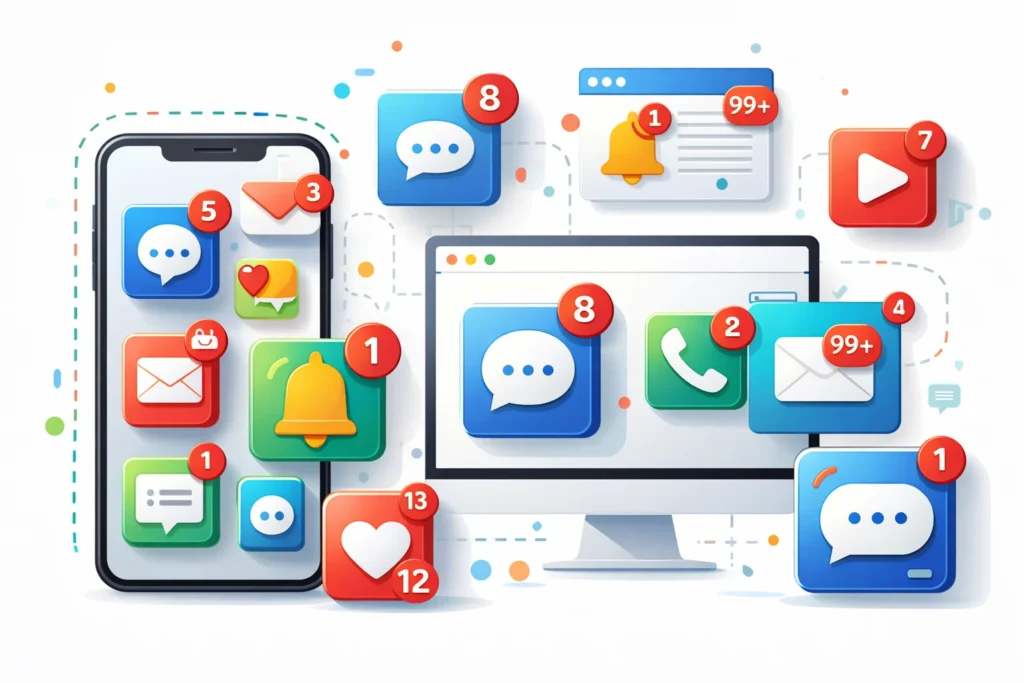
In digital technology, badges in notifications refer to small visual indicators, often in the form of numbers or dots, that appear on an app icon, alerting users to new activity, unread messages, or pending updates.
Badges help users quickly see which apps require attention without opening them.
Whether on smartphones, tablets, or desktops, understanding notification badges improves productivity and ensures you never miss important updates.
Origin and Popularity of Notification Badges
The concept of badges in notifications emerged with the rise of mobile operating systems like iOS and Android. Apple introduced the now-famous red circular badges on app icons to indicate new alerts, while Android followed with customizable notification dots.
Badges became popular because:
- They provide at-a-glance information
- They improve user engagement for apps
- They reduce the need to constantly open apps to check for updates
Today, badges are standard across most social media, messaging, email, and utility apps.
How “Badges” Are Used in Notifications
1. Indicating Unread Messages or Emails
The most common use of badges is to show unread items.
Examples:
- Gmail app shows 12 on its badge → 12 unread emails
- WhatsApp displays 3 → 3 unread messages
Tone: Neutral
Effect: Encourages users to check messages promptly
2. Highlighting App Activity
Badges can indicate general activity in an app, such as updates or interactions.
Examples:
- Instagram shows 5 on the heart icon → 5 new likes or interactions
- Twitter displays 7 on notifications → 7 new mentions or retweets
Tone: Neutral or positive, depending on context
3. Signaling Updates or Alerts
Some apps use badges to alert users to system updates or pending tasks.
Examples:
- Settings app badge → system update available
- Calendar badge → upcoming event today
Tone: Neutral or informative
4. Types of Badges
Badges can appear in different forms, such as:
- Numbers → e.g., 3 unread messages
- Dots → indicates new activity without specifying quantity
- Icons → small symbols indicating type of notification
Example
| App | Badge Type | Meaning | Tone |
|---|---|---|---|
| Gmail | Number (12) | 12 unread emails | Neutral |
| Number (3) | 3 unread messages | Neutral | |
| Number (5) | 5 new interactions | Positive | |
| Number (7) | 7 new mentions | Neutral | |
| Calendar | Dot or Number | Upcoming event | Informative |
| System Settings | Number (1) | Pending update | Neutral |
Comparison With Related Notification Indicators
| Indicator Type | Meaning | Difference From Badges |
|---|---|---|
| Banner | Pop-up notification | Appears temporarily, disappears after a few seconds. Badges are persistent. |
| Alert | Requires immediate action | May interrupt the user; badges are passive indicators. |
| Sound | Audible notification | Alerts the user through sound; badges are visual. |
| LED Light | Hardware-based indicator | Mostly on older devices; badges are software-based. |
Alternate Uses and Meanings
While badges are mostly visual indicators, the term can also refer to:
- Achievement badges in apps or games → rewards for completing tasks
- Profile badges → small icons showing status, verification, or membership level
- Skill badges → in educational apps like Duolingo or LinkedIn Learning
In these cases, badges are symbolic rather than functional notifications, but the concept of signaling attention or accomplishment remains.
Polite and Professional Alternatives
For professional or technical writing, you can refer to badges as:
- Notification indicators
- Alert icons
- Unread item markers
Example:
- “The app shows a notification indicator when a new message arrives” → more formal than “badge.”
Common Mistakes to Avoid
- Ignoring badges
- Many users dismiss badges without understanding what they represent, potentially missing important information
- Confusing badges with banners or alerts
- Remember: badges are persistent visual indicators, not temporary pop-ups
- Overloading users with badges
- App designers sometimes create too many badges, causing notification fatigue
FAQs
1. What does badges mean in notifications?
Badges are small visual indicators on app icons showing new messages, activity, or alerts.
2. Are badges only on mobile apps?
No. Badges can also appear on desktops, smartwatches, and web apps.
3. What do different badge numbers mean?
The number usually indicates the count of unread messages or notifications.
4. What is the dot badge?
A dot indicates new activity without specifying the exact number of notifications.
5. Can badges be turned off?
Yes. Most devices allow users to disable badges in app or system settings.
6. Are badges useful?
Yes. They help users quickly identify which apps need attention and improve engagement.
7. What apps commonly use badges?
Messaging, email, social media, productivity, and calendar apps all use badges.
8. Is a badge the same as a push notification?
Not exactly. Badges are persistent visual indicators, while push notifications are often temporary pop-ups or alerts.
Conclusion:
Badges are one of the most useful visual cues in digital devices, letting users quickly identify unread messages, updates, or pending tasks without opening an app. They can be numbers, dots, or small icons and are widely used across messaging, social media, email, and productivity apps.
By understanding badges, you can better manage notifications, stay organized, and never miss important updates.
Discover More Related Articles:
- Perseverance Mean in the Bible: Lessons from Paul, Job, and Jesus for 2026
- Subdue Meaning in the Bible: Lessons for 2026

Ryan Thompson is an experienced content writer specializing in slang terms, texting abbreviations, and word meanings. He writes for meanvoro.com, where he creates accurate and easy-to-understand language content for readers.