
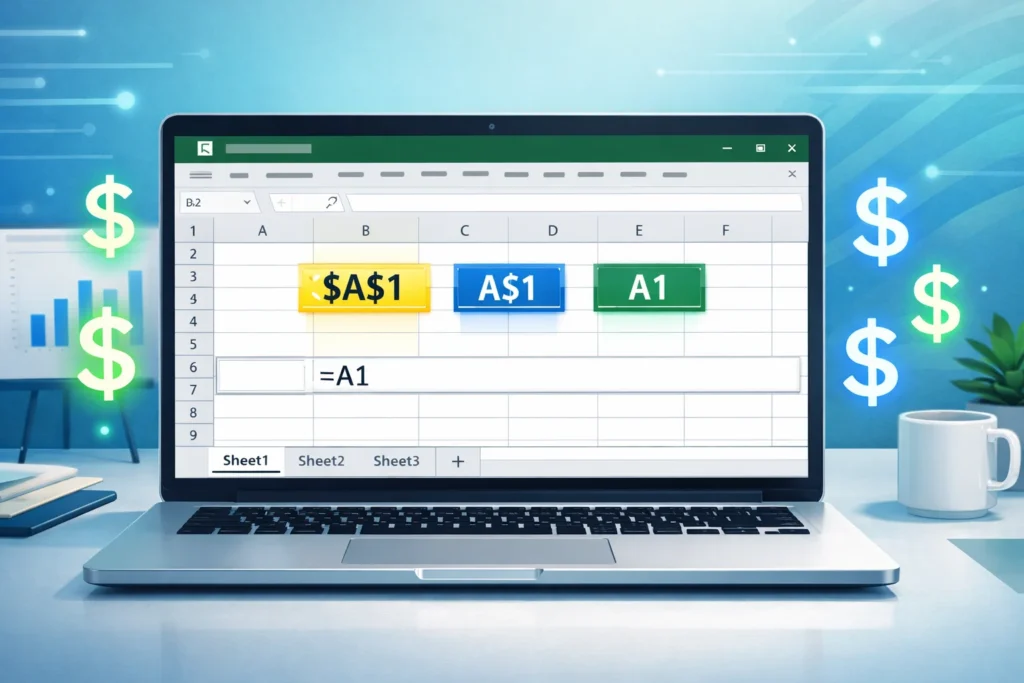
Definition:
In Excel, the $ symbol is used to create absolute references in cell formulas, locking either the column, the row, or both so that the reference does not change when the formula is copied or dragged to another cell.
If you’ve ever worked with formulas in Excel and suddenly seen a $ sign inside a cell reference like $A$1 or B$2, you’re not alone in feeling confused at first. It looks like currency but in Excel, it has nothing to do with money. Instead, it’s one of the most powerful tools for controlling how formulas behave when you copy them across cells.
Understanding the $ symbol in Excel can completely change the way you build spreadsheets, making your work faster, more accurate, and much more professional.
Origin and Why the $ Symbol Is Used in Excel
The $ sign in Excel formulas comes from the concept of absolute referencing, which was introduced to make spreadsheet calculations more stable and predictable.
Before features like this existed, copying formulas often caused incorrect results because cell references automatically shifted. Excel solved this by introducing a simple visual marker—the dollar sign—to “lock” parts of a cell reference.
Why the dollar sign?
- Easy to recognize
- Quick to type
- Clearly separates fixed vs changing references
Over time, it became a core part of Excel formula writing, especially in:
- Financial modeling
- Data analysis
- Reporting dashboards
- Business forecasting
Types of Cell References Using $
Excel uses the $ symbol in three main ways:
| Type | Example | Meaning |
|---|---|---|
| Relative Reference | A1 | Changes when copied |
| Absolute Reference | $A$1 | Column and row both locked |
| Mixed Reference | $A1 or A$1 | Only column or row locked |
How the $ Symbol Works in Excel
1. Relative Reference (No $)
Example:
=A1+B1
If you copy this formula down, it becomes:
=A2+B2, A3+B3, etc.
✔ Everything shifts automatically
❌ Not useful when you want fixed values
2. Absolute Reference ($A$1)
Example:
=$A$1+B1
When copied down:
=$A$1+B2
=$A$1+B3
✔ A1 never changes
✔ Perfect for fixed values like tax rates or constants
3. Mixed Reference ($A1 or A$1)
$A1 (Column locked)
=$A1
- Column A stays fixed
- Row changes
A$1 (Row locked)
=A$1
- Row 1 stays fixed
- Column changes
✔ Useful in tables and cross calculations
Real-World Usage of $ in Excel
The $ symbol in Excel formulas is widely used in real business scenarios:
1. Tax Calculations
If tax rate is in one cell:
=$B$1 * A2
So the tax rate stays constant.
2. Sales Commissions
=SalesAmount * $C$1
C1 holds commission percentage.
3. Budget Templates
Lock inflation rate or exchange rate:
=A2 * $D$1
4. Data Analysis
Used in pivot-like calculations or dynamic dashboards.
Examples with Context
Friendly Tone Example 😊
Imagine you’re calculating your monthly expenses:
- Rent: fixed in cell B1
- Groceries: changing values
Formula:
=$B$1 + B2
No matter where you copy it, rent stays the same.
Professional Use Example 📊
In financial reporting:
=Revenue * $E$1
E1 contains tax rate or discount factor.
Common Mistake Example ❌
Without $:
=A1*B1
Copied down → incorrect shifting values.
Comparison: $ Symbol vs Without $
| Feature | With $ | Without $ |
|---|---|---|
| Cell movement | Fixed | Changes |
| Accuracy in copying | High | Can be risky |
| Best for | Constants, formulas | Simple calculations |
Related Excel Terms You Should Know
1. Cell Reference
A combination of column letter and row number (A1, B2, etc.)
2. Formula Auditing
Tools used to track formula behavior.
3. Named Ranges
Alternative to $ locking (e.g., “TaxRate” instead of $B$1)
Alternate Meaning of $ in Excel
While the primary meaning is absolute reference, the $ symbol can also appear as:
1. Currency Format 💵
- $100 = US Dollars formatting
- Used in accounting sheets
2. Text Symbol in Strings
Sometimes used in formulas or labels, but not functional.
Professional Alternatives to Using $
Instead of locking cells with $, you can also use:
- Named ranges (e.g., TaxRate)
- Tables in Excel (structured references)
- Data validation constants
These methods make formulas more readable and scalable.
FAQs
1. What does $A$1 mean in Excel?
It means both column A and row 1 are locked and will not change when copied.
2. Why do we use $ in Excel formulas?
To fix cell references so formulas don’t shift when copied.
3. What is the difference between A1 and $A$1?
A1 changes when copied, while $A$1 stays constant.
4. How do I type $ in Excel?
Simply press Shift + 4 on your keyboard.
5. What is a mixed reference in Excel?
It locks either the row or the column, like $A1 or A$1.
6. Is $ only used in formulas?
No, it is also used for currency formatting like $10.
7. When should I use $ in Excel?
Use it when referencing fixed values like tax rates, constants, or fixed lookup cells.
8. Can I remove $ from formulas?
Yes, you can edit the formula manually or press F4 to toggle reference types.
Conclusion
The $ symbol in Excel may look simple, but it plays a huge role in controlling how formulas behave. By using absolute and mixed references, you can build smarter, error-free spreadsheets that save time and improve accuracy.
Whether you’re working on budgets, data analysis, or business reports, mastering the dollar sign in Excel formulas is a must-have skill for anyone using spreadsheets professionally.
Discover More Related Articles:
- Perseverance Mean in the Bible: Lessons from Paul, Job, and Jesus for 2026
- Subdue Meaning in the Bible: Lessons for 2026

Ryan Thompson is an experienced content writer specializing in slang terms, texting abbreviations, and word meanings. He writes for meanvoro.com, where he creates accurate and easy-to-understand language content for readers.